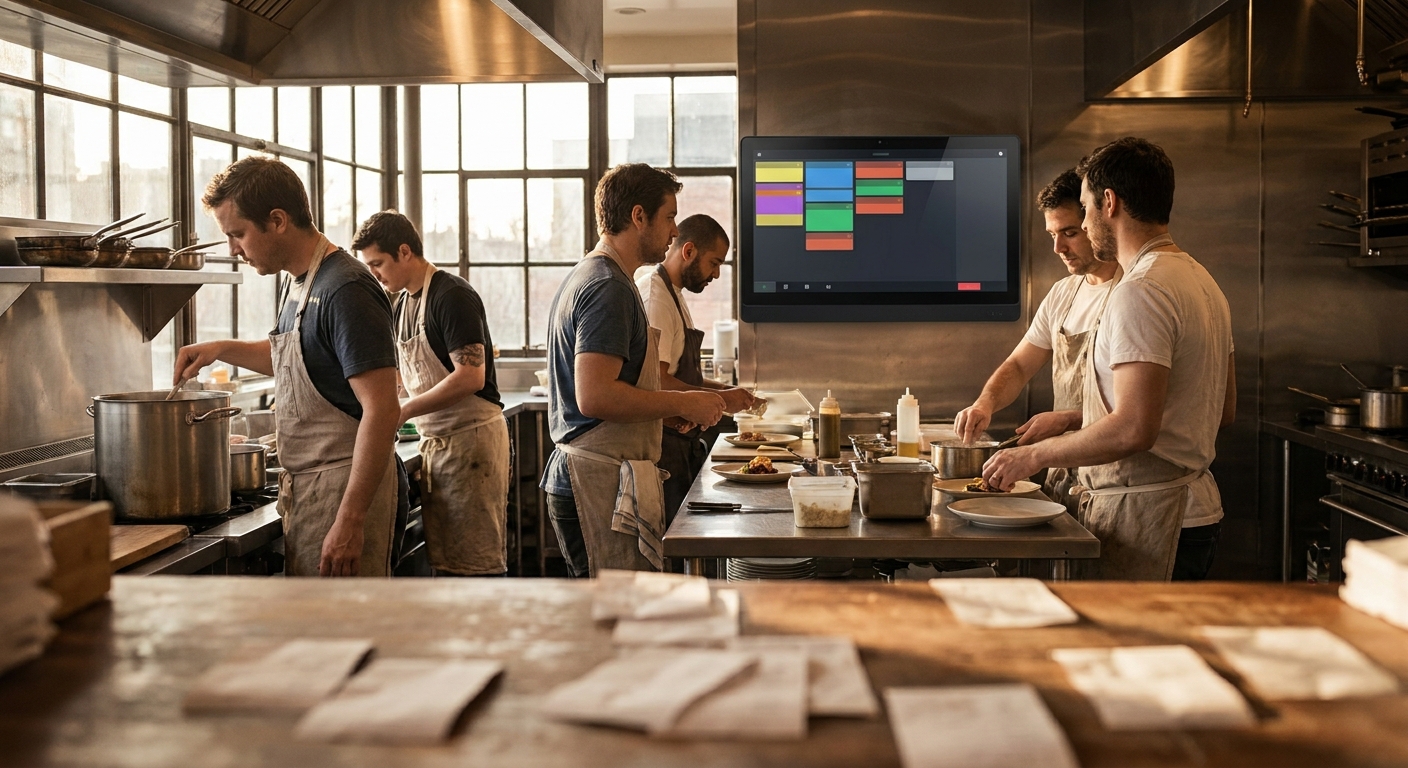
AI for small business isn’t the headline here; the issue isn’t a missing app, it’s a broken workflow. The waiter writes on paper, delivery apps run in their own lane, and the kitchen has no unified screen. In that setup, orders go missing not because your team is bad, but because the road itself is broken.
You know the scene: a yellow paper slip on a tray, a voice note on the WhatsApp app from a regular, a ping from the delivery platform, and the phone order ringing. There isn’t one queue — there are four. The waiter hunts the slip, the kitchen plates the wrong table, and the mismatch shows up in the cash drawer at close. That’s not technology, that’s operations.
The operational problem
Before we talk systems, let’s talk the path of an order — from the first word to the plate. Most shops today run a patched mix: paper, phone, delivery app, and a late-shift cashier logging invoices at the end. That creates at least four issues: missing orders, duplicated orders, kitchen delays with no root cause, and a cash drawer that doesn’t reconcile because part of the flow never became an invoice.
Your staff isn’t slacking. They’re fighting a vague path. Example: a guest says, “Fattoush, no onion.” It’s scribbled on paper, reaches late, the order restarts. Meanwhile, the delivery app sent a sandwich with a special note inside the app — nobody kitchen-side sees it. Result: pressure, a plate sent back, and raised voices.
In practice, most small and mid-size shops spread operations across multiple channels at once. From our field notes, day-to-day comms stretch across 3–5 disconnected tools like WhatsApp, Excel, a local POS, and a clerk’s notebook. That’s where tiny errors pile up — there’s no single screen bringing every order into one queue.
By the numbers:
- Around 70% of SMBs we audited invoice via Excel and the WhatsApp app rather than a dedicated system.
- Month-end on spreadsheets takes 5–10 working days; after an integrated system, it drops to under 48 hours.
- Operational comms are usually spread across 4–7 WhatsApp groups before consolidation.
The financial impact? It isn’t just a lost plate. When an order never enters the system, a supplier bill slips, accounting lags, and the cash drawer won’t match at close. The worst part: the owner blames “the app” while there was never a single path from entry to kitchen to invoice.
Why off‑the‑shelf won’t cut it
Many walk in saying, “Let’s swap the POS.” The problem isn’t a single system — it’s the full path. Off‑the‑shelf tools target the common denominator, not your kitchen’s habits. If orders enter through four doors, a boxed product won’t magically merge and re-sequence them to match your reality.
Even with a decent POS, if the kitchen lacks a unified screen, you’re back to paper. If the KDS isn’t Arabic‑first, new hires need long training. And without real integrations to delivery apps and the floor team, you’ll keep patching forever.
- Boxed POS can’t adapt to your shop’s quirks without vendor work and extra cost.
- It doesn’t solve multi‑channel intake: paper + calls + delivery app + WhatsApp voice notes.
- It ships generic reports, not a shop‑specific reporting screen tying kitchen to the drawer.
- Non‑Arabic‑first UIs slow onboarding to days; operations need hours, not weeks.
- No lightweight intelligence to catch duplicates or flag sensitive notes like “no onion.”
The TRBD approach: AI for small business + a unified order platform
Our move is simple: build one clear path for every order — from mobile, floor, or delivery app — into a single kitchen screen. We deliver this through our Web Platforms Development, backed by our AI & Business Automation when it’s the right lever.
Practically, that means:
- An Arabic‑first kitchen screen that merges all channels into one queue. Every order has a visible state: “In prep,” “Ready,” “Handed off.” A clear floor button “Send to Kitchen” (Send to Kitchen) logs everything automatically for end‑of‑day.
- A stripped‑down waiter tablet: three main categories and quick, saved notes. No labyrinth menus.
- Integrations to delivery platforms via APIs so any incoming order lands in sequence with its special notes.
- Automatic fallback printing on network hiccups, without reverting to random paper.
Where does AI help? A lightweight assistant reads colloquial notes and turns them into kitchen‑friendly tags: “no onion,” “toasted bread,” “sauce on the side.” It also spots near‑duplicates from the same number within a minute and gently warns before you prep it twice.
How we roll it out:
On‑floor discovery. We walk the order path with you — door to kitchen to drawer — and map it. “The solution starts by understanding the workflow, not by selling a system.”
First usable module in 3–6 weeks depending on scope, focusing on KDS + waiter tablet. If you’re already running a system we can extend, the second module usually takes 2–3 weeks since data/auth are standing.
Hands‑on training with an Arabic‑first UI. Our clients report that non‑technical staff pick it up in under 4 hours with guided use — not days.
A 60‑day stabilization window. Expect 15–25 support tickets in month one as users hit edge cases, then it settles to 2–4 per month.
Fine‑tuning: re‑sequencing the queue by grill load, or surfacing a visible “start time” on each ticket.
By the numbers: we saw at a multi‑branch supermarket — close to kitchen logic — stock reconciliation drop from ~2 hours/day to under 20 minutes/day after auto‑updating inventory from each sale. Same idea in the kitchen: every order should leave a clean, trackable trace without paper.
A small detail that changes a lot: when the “Ready” button (Mark as Ready) updates everyone at once — floor heads over, cashier invoices, delivery gets the call — the cross‑team friction halves because there’s one picture for all.
How to start with us
Email info@trbd.net with a photo of your current kitchen board and a couple of yesterday’s paper tickets, plus a note on how orders enter today. Or message us on WhatsApp Turkey at https://wa.me/905537323153 or WhatsApp Syria at https://wa.me/963992367582 to schedule a free in‑shop assessment.
We’ll ask for an hour on the floor and hand you a clear workflow map and a first‑week plan. How are you handling this today?
Toward a new operating model for Damascus kitchens
The market is tilting toward parallel channels: dine‑in, delivery apps, takeaway, and WhatsApp orders from loyal customers. Without a single queue unifying them, each team runs its own world and grows the misunderstanding. “The problem isn’t the app; it’s the way of working.” Fix the path, and whether you swap systems matters less — the goal is one shared picture.
A practical bet: restaurants that adopt a unified kitchen screen and Arabic‑first waiter UI will onboard new hires much faster. Our clients report non‑technical staff onboarding dropping from days to under 4 hours. That’s instant cost impact every time you rotate a line cook or add a waiter mid‑season.
And the financial arc goes beyond the floor: once orders flow through the system, month‑end drops from 5–10 working days to under 48 hours with an integrated setup. Supplier bills close on time, and your cash drawer matches because every order is counted.
We kept one analogy on purpose: that supermarket cutting daily stock reconciliation from ~2 hours to under 20 minutes after auto‑updates. It’s a signal — every movement should create an automatic, visible trace. Same brain for the kitchen. If each order leaves its trace the moment it’s placed, you won’t chase paper at the end of the shift.
One last shop‑floor tip: start at the smallest choke point — usually colloquial notes going missing — and turn it into saved buttons or simple AI recognition. Then expand step by step. What’s the first tiny detail you’d like to move out of your head and into a single button?