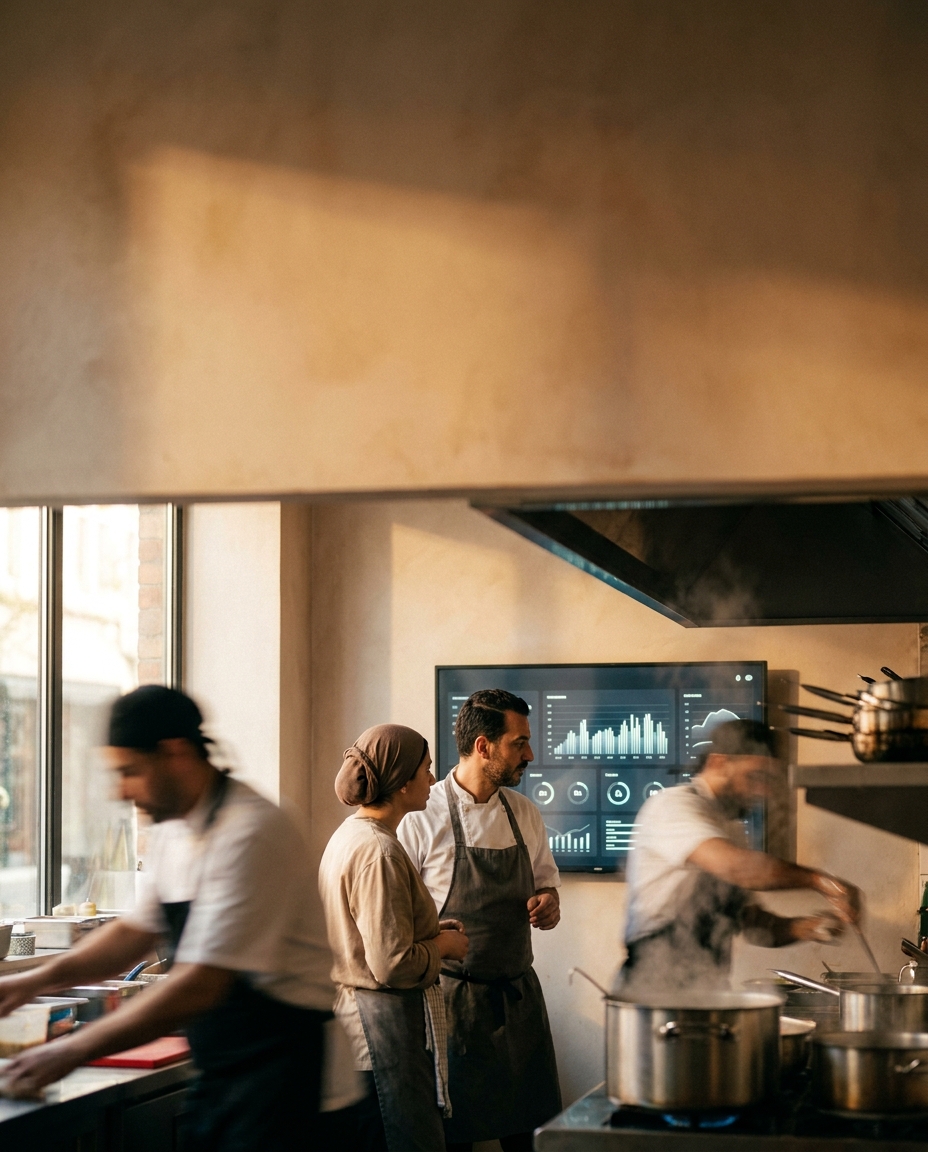
questions before signing ERP contract Syria crossed my mind while I stood at the kitchen door in rush hour. The cashier shouted an order, the ticket paper was smudged, and nothing actually reached the chef.
Seconds later, a guest asked about her food, the floor stalled, and the chef was cooking a different item no one had written. The owner’s face said it all: the bleed wasn’t in the food; it was in the path from cashier to kitchen.
The operational problem
Rush uncovers fragility: the order is paid at the front, but it never becomes a kitchen task you can execute and track. Without a mandatory “acknowledge” from the kitchen side, any shout or slip of paper can vanish without a trace.
The cost isn’t only an angry guest. It’s a dish cooked twice, a free comp to calm a client, and staff time burned on fixing errors instead of producing new orders. Every minute of ambiguity means a chef second‑guessing, a cashier stressing, and an error chain compounding.
Billing suffers too. Any order that never lands in a unified system won’t appear in end‑of‑day reports, and money leaks with zero accounting trail. In our work, a typical owner we meet runs operations on 3 to 5 separate tools: the WhatsApp app, Excel sheets, an old accounting program, a paper notebook, and sometimes a POS system. That fragmentation opens gaps between payment and execution.
There’s also onboarding. If screens and labels aren’t clearly Arabic‑first, training a new hire is long and costly. When we put Arabic‑first UI in place, we’ve seen onboarding drop from shadowing for days to under 4 hours of hands‑on training. Imagine a cook opening a “Kitchen Queue” and knowing his place instantly.
And not every failure is human. A kitchen printer jams, the paper roll ends, or a cable slips, and suddenly the whole lane stalls. If your process depends on “a paper must print,” you hang by a thin thread. If it’s built on “a task must appear and be acknowledged,” you have multiple bridges.
Why off‑the‑shelf tools fall short — questions before signing ERP contract Syria
Many POS systems promise “fast checkout,” but they don’t always enforce a clear path from payment to execution. Some assume the printer is always healthy, that the kitchen is a single station, or that the cashier’s voice is enough.
- No realistic Kitchen Queue with priority, timing, and a responsible receiver per order.
- No mandatory Acknowledge from the chef, so orders evaporate between “I heard” and “I thought.”
- Weak station routing: grill, fryer, salad bar—without automatic, visible distribution.
- Missing audit trail tying invoice to cook time and who handled it, blocking root‑cause analysis.
- No “printer‑down emergency” path that displays orders on a screen with visual and sound alerts.
Even if the POS offers a kitchen printer, the core question remains: who guarantees that every order became a visible, acknowledged kitchen task? That’s workflow design, not a “Pay” button.
The TRBD approach
For this file, we enforce an Order Path with two core services we offer: ERP/CRM systems and web platform development. The idea is straightforward and practical: every order becomes a work card with properties, shown instantly on an Arabic‑first kitchen screen, and it doesn’t close without Acknowledge and Done.
How it works:
At payment, the cashier taps Send to Kitchen. The client receipt doesn’t print until a task record with a clear ID is created.
On the kitchen screen, each order shows in the Kitchen Queue with a timer, station, and notes. The chef taps Acknowledge; the card changes color and a timestamp is saved.
If an order sits unacknowledged past a threshold, a Push notification hits cashier and supervisor. If the printer is down, the screen remains the primary reference.
On completion, the chef taps Ready for pickup. The order leaves the cooking queue and appears at the cashier for hand‑off.
Any change (add, cancel) leaves an Audit trail linking invoice and kitchen.
Technical scope includes: Arabic‑first UI, an internal web app for the kitchen, API integration with your POS or accounting system, and a kitchen‑grade screen with local‑first caching for short offline windows.
We ship in two beats: a first operational version within roughly a month to a month and a half from kickoff, then iterative improvements. Adding a new station or a second module typically takes two to three weeks when a TRBD system already exists because the data model and auth are ready.
On support, expect an active first month with 15 to 25 tickets as your team hits edge cases, then stabilization to around 2 to 4 per month. That’s the pattern we see with mature clients on similar systems.
With Arabic‑first UI, onboarding a non‑technical new hire practically drops under 4 hours instead of days of shadowing. That resiliency shields you from turnover.
How to start with us
One email, a free initial assessment, and we proceed step by step. Send a note to info@trbd.net, or WhatsApp Turkey at https://wa.me/905537323153, or WhatsApp Syria at https://wa.me/963992367582.
We’ll ask for your current order path sketch, front and kitchen photos, and station names. Within two business days, we return a draft workflow and integration options.
Toward a new operating model for Damascus kitchens
Rush isn’t a problem; it’s a test. The kitchen that wins rush hour treats every order as a Task with stages: arrives, is acknowledged, is cooked, is handed off, and is closed in accounting.
From our field notes, roughly 7 out of 10 owners we meet run billing on an Excel and WhatsApp mix. It works until it collapses under load, creating three parallel truths: one in chat, one on paper, and one in a worker’s head. An Arabic‑first kitchen screen with Acknowledge kills that duplication.
Timing matters. A first operational version within a month to a month and a half gives you practical gains before holiday peaks, with the option to add a new station later in two to three weeks. That cadence lets you adopt improvements gradually instead of a painful leap.
Our market view: neighborhood kitchens will move from kitchen printers to kitchen screens within a single operating year once they see the effect of instant alerts and traceability. It isn’t tech vanity; it’s insurance on orders. With Arabic‑first UI, seasonal hires won’t need more than a morning session to get productive.
Our recommendation: before any big contract, map your order path on paper and define the Point of No Return—after which the order becomes a mandatory kitchen task. Pilot a simple screen for a day and make Send to Kitchen a gate step. When you see the delta, let’s talk about staged integration with ERP/CRM systems.