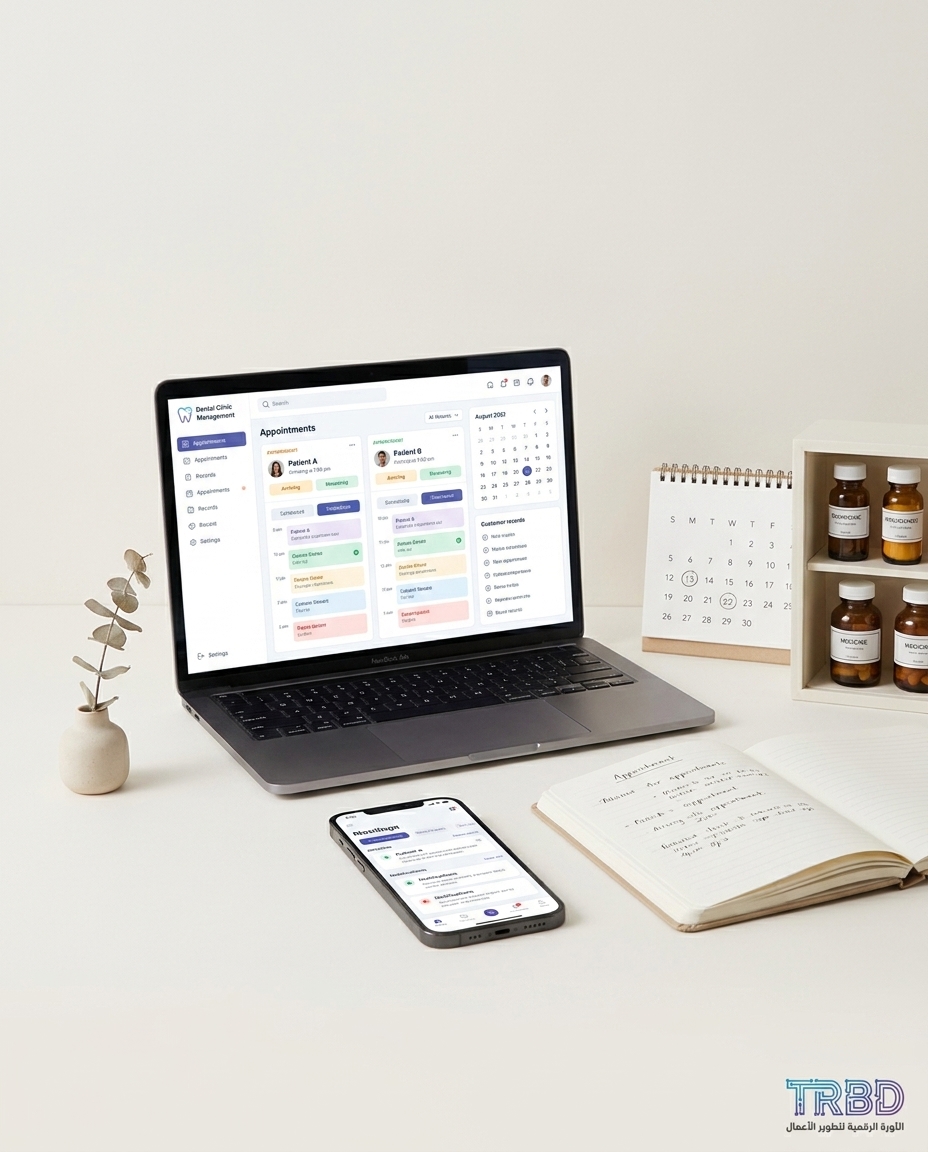
expiry date inventory management Syria pops up at noon while the dentist is still chasing who confirmed and who cancelled. Two patients arrive at the same minute because the paper notebook says “3:00” for both, and the receptionist’s WhatsApp app is full of voice notes.
Before the chair cools, another call lands: “Doctor, I confirmed yesterday.” The issue? The confirmation was scribbled on a yellow sticky tucked under the headset. A regular patient is stuck in traffic, and a newcomer walks in thinking it’s their turn now.
The operational problem
When the schedule sits on a paper notebook plus scattered WhatsApp app messages, collisions are daily. A confirmation gets lost in a long voice note, a cancellation is penciled in the margin, and someone shows up with what looks like a valid appointment even though it was moved a week ago. The result: front-desk stress, a rushed doctor, and a patient who feels their time isn’t respected.
A clinic is a small business. The typical owner we work with runs operations on 3 to 5 separate tools: the WhatsApp app, Excel for expenses, an old accounting program, a paper appointment book, and sometimes a POS program. This fragmentation costs time and errors, and it makes tracking each patient’s state harder than it should be.
At month-end, the team scrambles: who came, who paid, who was rescheduled? If you depend on Excel and paper, closing the month can take about 5 to 10 working days. Every day of delay is time taken from the dentist and the accountant instead of real patient work.
After a cohesive operational platform is in place, the same clinic can close the month in under 48 hours within the first quarter. Not because the team turned superhuman, but because the workflow is tight: every visit has a state, every payment has a trail, and every alert sits where it belongs.
Customer service shifts too. With an Arabic-first interface for labels, validations, and reports, onboarding a new non-technical receptionist drops from “days of shadowing” to under 4 hours of hands-on training. That is the difference between a system that works for you and a system you work for.
An unexpected link: expiry date inventory management Syria inside the mess
You might think “scheduling is separate.” It isn’t. When confirmations go missing, cases pile up, and your sensitive-to-expiry materials—local anesthetics, resins—sit on the shelf longer than planned. Suddenly you’re mid-month doing an emergency count because a batch just ran out of time.
This is where the calendar meets stock. When repeated reschedules don’t automatically reflect on expected material usage, no screen warns you that a vial must be used this week. Suddenly it’s “expired,” and you’re apologizing or changing the clinical plan.
Why off‑the‑shelf tools fall short
There are plenty of general appointment apps. They give you a basic calendar and reminders. The problem isn’t the calendar; it’s the workflow spanning front desk, dentist, chart, payment—and the messaging channel, the WhatsApp app. A template product gives you one mold but doesn’t understand your clinic’s specifics.
Clinics need a real link between appointment, chart, invoice, and stock. We must know that swapping an implant case tomorrow with a cleaning today means a totally different material footprint. A general product can’t sense that shift.
- Shallow integrations with the WhatsApp app or email without clear appointment states like “Awaiting confirmation,” “Confirmed,” “Cancelled,” “Arrived.”
- No direct link between the visit calendar and sensitive-to-expiry stock.
- Generic reports that don’t answer a simple question: “How many real visits happened versus how many confirmations got lost?”
- Rigid permissions: either everything is open or everything is locked, with no clear receptionist-versus-dentist roles.
Roughly 6 out of 10 prospects who come to “evaluate a ready-made product” decide after the first workflow comparison that they need custom. The reason is simple: process over features.
The TRBD approach
We combine “Web Platform Development” with “ERP/CRM Systems” as one package for clinics. It’s not a pretty page; it’s an operational flow that stabilizes the appointment from first contact to last payment—with an explicit link to your materials.
How it works:
Appointment flow workshop. From the first WhatsApp app message to patient checkout. We map states, roles, and alerts. We discover where confirmations leak and where backlogs start.
First operational release. Within a typical launch window of about a month to a month and a half from kick-off, you get a live production version. It includes an operating calendar, a front-desk screen, appointment states, and a basic link to patient file and billing.
Real messaging integration. We connect an optional chatbot under “AI and Business Automation”: the bot sends reminders, accepts “OK” or “Cancel,” and updates the calendar state instantly.
Expiry-aware materials link. Each procedure type gets a “materials bundle.” A confirmed appointment reserves a provisional quantity. A reschedule releases it. A warning panel tells you “3 vials must be used this week,” with a button for expiry alert (Expiry Alert).
Go‑live, training, support. In month one you’ll see about 15 to 25 support tickets as users hit edge cases, then it stabilizes to around 2 to 4 per month. Training is hands-on with an Arabic-first UI, and onboarding a new receptionist often completes in under 4 hours.
Scope includes:
An operations calendar with clear states: Awaiting confirmation, Confirmed, Rescheduled, Cancelled, Arrived—each with an event and an audit trail.
A front-desk console with quick actions: confirm (Confirm), cancel (Cancel), reschedule (Reschedule), call (Call).
One-click links between chart and invoice, plus exportable financial reports.
Expiry alerts for sensitive materials and a simple stock dashboard at launch.
WhatsApp app integration via an optional bot to nudge and capture responses.
If you already run on a TRBD system, adding the expiry-aware stock module typically takes about two to three weeks. The data model and auth are ready; we focus on logic and UI. If we’re building from scratch, expect about a month to a month and a half for the first version, with cross-department integrations stretching to two to three months depending on complexity.
Why expiry date inventory management Syria tips the decision
When we bring up expired meds, clinics get tense—and rightly so. The truth: when calendar and stock are isolated, that check always comes late. Tying “planned visit” to a “materials bundle” turns the surprise into a daily routine alert.
An operating board makes the week real: how many implants, gum treatments, cleanings. Now you know what must be ready—and what must leave the shelf before it leaves its date.
How to start with us
Email info@trbd.net with a short note: “Dental clinic, we need stable scheduling and expiry-aware stock.” We’ll book a quick call to understand your current flow and provide a free initial assessment. If you’re ready to move, we lock steps and ship the first version.
For instant contact: Turkey WhatsApp via https://wa.me/905537323153 or Syria WhatsApp via https://wa.me/963992367582. Our site: https://trbd.net.
Toward a calendar that runs the clinic instead of running you
The market is moving toward practical operating systems for small clinics, not generic templates. We’ve seen around 7 out of 10 owners we know operating on a mix of Excel, WhatsApp, and paper. That’s reality, not destiny. When we model the actual daily flow, many switch to custom because it addresses the problem itself, not a checkbox list.
My expectation is clear: any clinic that keeps its calendar separate from stock will keep chasing fires. Linking them removes two failure modes in one shot: double-booking shrinks because state actually means something, and waste dries up because expected usage is visible and tied to confirmed visits.
A quick sector comparison reinforces this. In hospitality and F&B, unifying orders on a single kitchen screen brought an early spike in rare-case tickets, then stabilization around 2 to 4 per month. Your clinic is no exception. Month one has bumps; after that, flow becomes habit.
A practical recommendation: start small but real. Implement four appointment states and close the WhatsApp app confirmation loop via a simple bot. Next, add a “materials bundle” per procedure with an expiry alert button (Expiry Alert). Once the flow proves itself, expand reporting and accounting links. That path gives you early impact and a calm runway to scale.
The punchline isn’t a slogan: the time you reclaim from killing double-booking goes back to patients. The materials that used to expire on the shelf get used on time. That’s how the calendar shifts from a wall of notes to a simple operating brain—grounded, real, and tied to the shop floor.